Mobile Shop POS with IMEI Tracking: How Howmuch POS Helps Manage Mobile Inventory and Sales

A mobile phone shop handles more than products and prices. It may stock the same model in several colors and storage sizes, sell new and used handsets, receive frequent supplier deliveries, and carry dozens of lower-cost accessories. Staff also need to know which specific phone was sold when a customer returns with a question.
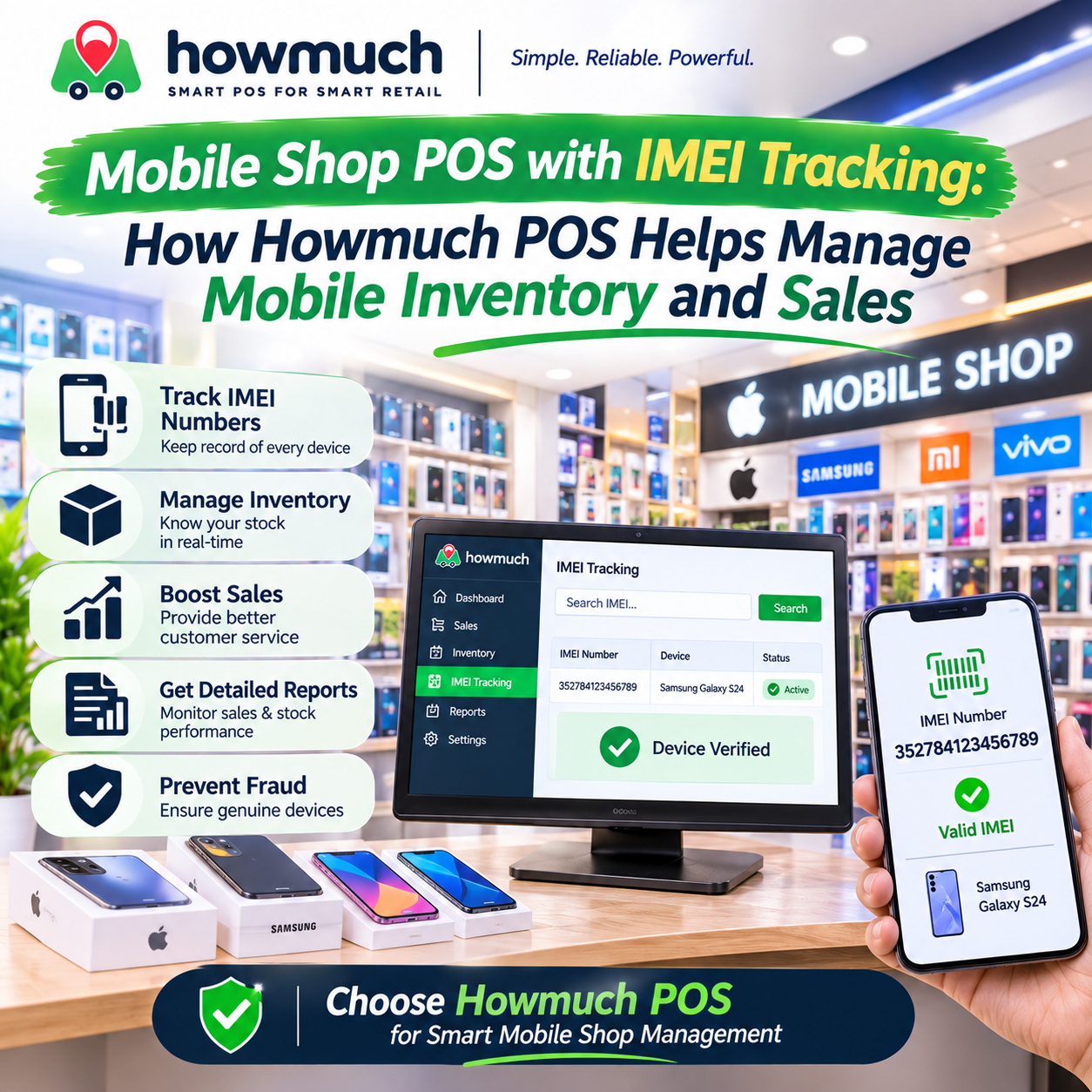
A mobile shop POS can bring product records, stock, purchases, sales, customers, and reports into one workflow. Howmuch POS includes retail inventory and billing features, plus records for individual handset stock units and their IMEIs. It can associate a selected stock unit with a sale. Some steps, such as entering IMEIs during purchase-order receiving or managing warranties, are not automatic features and should be checked against the shop’s process.
Why Mobile Shops Need More Than Quantity Tracking
A regular inventory record might show that a shop has five phones of a particular model. That is useful for stock counts, but it does not identify each physical device. If the shop needs to distinguish a specific handset, it needs a device-level record.
Mobile retailers also need to manage product differences: brand, model, storage size, color, condition, and price. Accessories such as chargers and covers usually need quantity tracking, while a high-value handset may need its own identity record. Purchases, supplier balances, customer sales history, returns, and stock transfers add further detail to daily operations.
What Is IMEI Tracking?
An IMEI is a unique identification number assigned to a mobile handset. It distinguishes one physical phone from another, even when both have the same model, color, and storage capacity. Dual-SIM phones can have two IMEIs.
For example, if a shop receives five identical smartphones, quantity tracking records five phones of that variant. IMEI tracking can also record the identity number or numbers for each individual handset. Staff can then distinguish the device on the shelf from one already sold.
Howmuch POS supports individual stock-unit records with IMEI identity records. Its data model allows multiple IMEI records to be associated with one unit, so dual-SIM identities can be represented. The stock-unit interface can add more than one equipment identity. Retailers should still confirm the exact entry and scanning process in a demonstration.
How Handset Tracking Works in Howmuch POS
A typical workflow is:
- Set up the product: Create the phone as a product or variant, with relevant attributes such as model, storage, color, SKU, or barcode.
- Record the handset: Add a stock unit with its IMEI identity record or records. Stock units can also include serial or model information.
- Find the device: Search stock-unit records using identifying information, including IMEI.
- Sell the device: Select the specific in-stock unit in the POS order flow. Howmuch stores the stock-unit association on the sales line, and the IMEI can be displayed with that line item.
- Review the transaction: The stock unit is associated with its sales line and order, helping staff identify the recorded handset and sale.
Howmuch’s supplier purchase and goods-received workflows manage purchase orders and received products. The implementation does not establish that every IMEI is entered directly in the purchase-order receiving screen or that each IMEI is automatically linked to a supplier purchase order. A separate stock-unit management or import workflow may be needed for the handset identity record. Confirm how your shop will connect receiving, IMEI entry, and supplier paperwork.
The code also does not enforce a shop-wide unique IMEI rule across all stock units. Its IMEI uniqueness validation is scoped to a single stock unit, so retailers should check their entry process and demonstrate how they will prevent duplicate IMEIs across devices.
Organizing Phones, Variants, Barcodes, and Accessories
Howmuch supports product and item records, categories and brands, product variants, SKUs and UPCs, barcode printing, and quantity-based stock. A retailer can organize a phone line into variants such as 128 GB and 256 GB, or different colors, then maintain stock for the relevant variants.
A product barcode and an IMEI serve different purposes. A barcode usually helps staff find a product or variant for billing. An IMEI identifies a particular handset. Scanning a product barcode should not be treated as proof that the specific phone has been identified.
Accessories can be managed as separate products with stock quantities. A shop might list chargers, cables, earphones, covers, screen protectors, power banks, and memory cards. If it receives ten covers and sells three, quantity tracking can show the remaining stock. The shop can bill an accessory and a handset together while keeping their inventory records separate.
Purchases, Suppliers, and Receiving
Howmuch includes supplier and purchase workflows for recording purchase orders, supplier information, goods received, and purchase payments. Purchase records and reports can show totals, amounts paid, and pending amounts. Supplier and purchase records help owners review deliveries and outstanding balances.
For example, a Karachi retailer orders three phones of one model, two of another, ten covers, and five chargers. Staff can record the supplier order and received quantities. The phones can be organized by product variant, and their individual stock-unit IMEI records can be entered through the appropriate stock-management workflow. Covers and chargers remain quantity-based.
Because IMEI entry is not confirmed as part of each purchase-order receiving step, the shop should test the full process with its own purchase: create the order, receive the goods, record each phone’s identity, and later retrieve that handset’s sale.
Sales, Payments, Customer Credit, and Customer Records
Howmuch POS supports retail order entry and billing, customer records, and payment methods available for the store. Customer credit and wallet-related features are available when enabled and configured. A shop can associate a customer with a sale, retain transaction details, and review customer order or ledger information.
Payment options depend on configuration. Howmuch includes payment method support and integrations for supported payment devices and services. Retailers should check which methods are available for their country, account, and hardware before relying on a particular cashless workflow.
For mobile shops in Pakistan, sales tax or electronic invoicing integrations may also matter. Howmuch includes FBR and PRA tax integrations, subject to the business’s configuration and eligibility. These integrations are separate from IMEI tracking and do not verify a handset’s registration status.
Returns, Exchanges, Stock Adjustments, and Transfers
Howmuch includes customer return, reimbursement, and exchange workflows. Return records connect to the original order and returned items, while stock adjustments can record inventory changes. These functions help staff handle a returned cover differently from a returned handset and keep stock records current.
When a customer returns a phone, staff should compare its IMEI with the device recorded on the original sales line. The code supports handset identity records and sales associations, but warranty decisions or inspection results remain the retailer’s responsibility.
Howmuch also supports stock locations and stock transfers between locations. The transfer workflow records products and quantities moving between locations. Since the transfer flow is quantity-oriented, retailers with multiple branches should demonstrate how individual IMEI identity is preserved and searched after a handset transfer.
Expenses, Reports, and Daily Operations
Retailers can record expenses and review reports for sales, items, categories, purchases, customers, and inventory. Purchase reports include paid and pending amounts; sales and profit reporting can help owners review business activity over a selected period. The exact reports and permissions available depend on configuration.
A shop owner might review which phone models sold during the week, compare accessory sales, check supplier purchase totals, and review expenses. These reports can support decisions about replenishment and pricing. Reports provide business information; they do not replace checking physical stock or reconciling cash and supplier records.
Howmuch’s Electron POS also has an offline operating mode for local POS work. Local billing can use synchronized product and stock-unit data, but not every administrative workflow is available offline. In particular, purchase and supplier accounting are not included in the offline feature set described in the code. Shops that expect internet outages should verify what their specific offline setup can do and how local sales and stock updates sync afterward.
Warranty and Other Mobile-Specific Requirements
Howmuch records handset identity and can associate a stock unit with a sale, which can help staff review the original transaction and purchase date. However, the code does not provide a dedicated warranty system with warranty periods, expiry dates, claims, or an IMEI-based warranty lookup. A stock-unit expiry field should not be treated as automatic phone-warranty management.
The implementation also does not establish mobile repair management, PTA verification, or automatic warranty validation. Shops that need these functions should use a separate process or confirm an integrated solution before choosing software.
A Checklist for Choosing Mobile Shop POS Software
Before adopting any POS for mobile shops, ask for a practical demonstration of:
- Individual IMEI and serial-number records for each handset
- Multiple IMEI records for dual-SIM phones
- IMEI search and stock status for a specific device
- The link between an individual handset and its sale
- How IMEIs are entered when receiving supplier stock
- Whether duplicate IMEIs are prevented across the whole shop
- Product variants, brands, categories, SKUs, and barcodes
- Quantity tracking for accessories
- Purchases, suppliers, receiving, and supplier payments
- Returns, exchanges, reimbursements, stock adjustments, and location transfers
- Customer history, credit, payment methods, and relevant reports
- Offline billing and the way data syncs across devices or branches
- Warranty, repair, and local compliance workflows, if required
Have staff perform a sample transaction from supplier delivery through handset identification, sale, return, and reporting. This will show whether the software’s actual workflow fits the shop.
Conclusion
Mobile retailers need more than basic billing. They need organized product and accessory stock, purchase and supplier records, customer transactions, returns, and reliable handset identification when required.
Howmuch POS provides retail inventory, purchases, suppliers, sales, customer records, payment and credit options, reporting, returns, stock adjustments, and support for associating individual IMEI stock units with sales. Its current implementation does not provide dedicated warranty claims, PTA verification, or guaranteed IMEI entry in purchase-order receiving. A product demonstration should confirm the exact handset workflow, duplicate controls, offline needs, and branch processes before a shop relies on them.
0 Comments

Howmuch POS vs. Abuzar Pharmacy Software: Which Is Right for Your Medical Store?