How to Import Your Database for Seamless Data Migration

Changing systems or recovering your store data in case of a change should not be risky or complex. The most important thing for many retailers is:
Are my products, customers, sales and settings displayed properly?
Database import is supported in Howmuch POS and allows you to migrate or restore data to your store in a structured manner. With the proper import of your database, you can continue to run your business with little downtime and maintain your data in one place.
This guide will delve into the importance of database import, what to do first, and how to handle the process carefully to ensure a smoother migration.
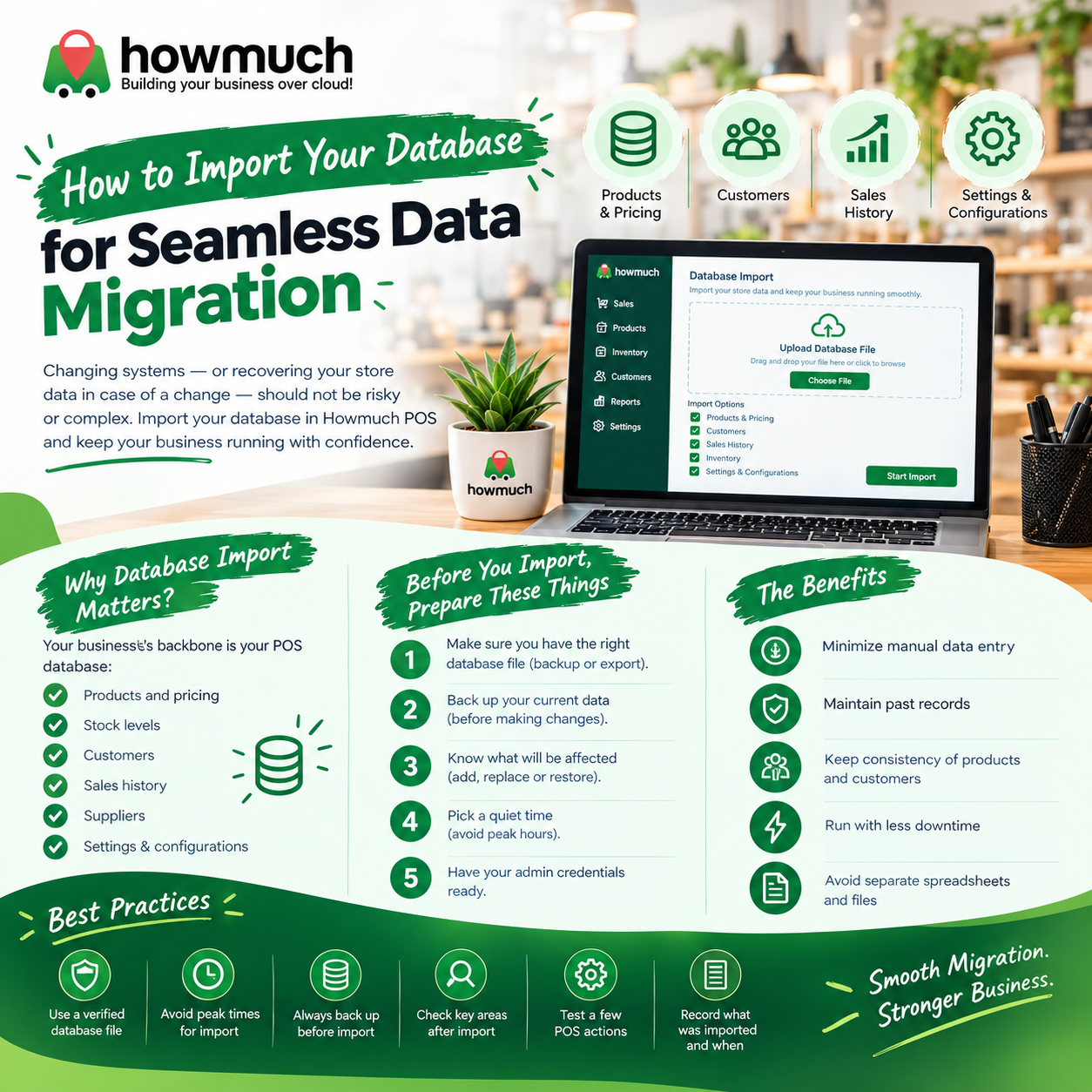
Why Database Import Matters
Your business backbone is your POS database:
- Products and pricing
- Stock levels
- Customers
- Sales history
- Suppliers
- Settings and configurations
If this data could not be imported, switching systems or restoring from a backup can result in having to start from scratch, re-enter data, or have incomplete records.
A good import from a database will assist you to:
- Minimize manual data entry
- Maintain records of past events
- Keep consistency of products and customers
- Run with less downtime
- Avoid separate spreadsheets and files
One of the most crucial migration tasks is a clean import process, especially for multi location stores, growing stores, or businesses transitioning to Howmuch POS.
Before You Import, Prepare These Things
Preparation is more important than speed before you start.
1. Make sure you have the right database file
Be sure you are using the appropriate backup or export file for import. If you are using an incomplete or old file, it could cause confusion in the future.
2. Make a copy of your current data before making changes
If you already have data in Howmuch, make a new backup before adding anything new. This will allow you to have a recovery plan when things go wrong.
3. Determine what will be affected by the import
Know if the import will add data, replace existing records, or restore a complete database state. Make sure you know this before you start.
4. Pick a time that is not very active
Dont import during high sales periods. A quieter time will give you more control and lower operational risk.
5. Make sure you have login and admin credentials available
Database import is usually an administrative operation. Ensure that it is handled by the appropriate person with the right access.
How Database Import Supports Seamless Migration
Importing a file is not the only part of a well-handled import process. It is about maintaining the continuity of your business.
A successful database import lets the retailer do the following:
- Move product catalogs without having to rebuild them item by item
- Keep customer data and buying history
- Preserve operational settings where supported
- Spend less time getting a new setup live
- Avoid significant differences between the old system and the new system
This is particularly helpful when:
- Converting from an existing point of sale system to Howmuch POS
- Restoring information after a system change
- Installing a new environment with existing business data
- Restoring a store setup from a previous backup
Best Practices for a Cleaner Import
To minimize mistakes and maintain control of the process:
- Always use a verified database file
- Avoid importing while peak trading is in progress, if possible
- Do not make changes without first having a backup of your current state
- Check important areas like products, stock, customers, and the latest orders after importing
- Verify that pricing, categories, and relevant settings are displayed as they should be
- Try some typical POS actions before resuming normal operations
- Record what was imported and when for internal reference
A careful review after import is as important as the import itself.
What to Check After Importing
After importing, don’t take anything for granted until you check it out.
Check the following:
- Is the display of products correct?
- Is the stock correct?
- Are customer records available?
- Are important categories and prices correct?
- Are staff able to complete a test sale successfully?
- Are important reports available?
If you think there is something missing or wrong, stop, check, and if necessary correct it before continuing full store operations.
Common Mistakes to Avoid
Many migration issues arise from incorrect actions:
- Importing the wrong file
- Not taking a backup before import
- Importing at peak times
- Not checking data after the process
- Assuming all settings transfer without checking
- Allowing untrained personnel to handle the import
Importing a database is an administrative task and should be done in a controlled manner, not as a random upload.
From Risk to Continuity
If you dont have a clear import process, data migration can feel uncertain. Retailers may be concerned about product loss, missing history, or downtime.
Importing a database is a practical way of shifting or restoring business data with greater certainty using a structured approach in Howmuch POS. It is not only about getting it right technically it is about continuity of operations.
When your products, customers, and records come across cleanly, you can get back to selling and serving customers without disruptions.
Frequently Asked Questions
What is database import in Howmuch POS?
Importing your store data is the process of loading it into Howmuch POS for the purpose of migrating, restoring, or continuing to run your business with existing business records.
Why do I need to back up before importing?
A backup provides you a recovery point. If the imported file is incomplete or incorrect, the previous version is still available.
When is the best time to import a database?
During a quiet period, when there are fewer transactions and your staff has time to check the results.
What should I look for after I import?
Products, stock, customers, categories, prices, and a few test transactions should be checked prior to normal operation.
Will database import minimize migration disruption?
Yes. A clean import will minimize manual re-entry and help you return more quickly to normal store operations.
Final Thoughts
One of the most crucial steps in a successful migration or data restore is uploading your database. With careful handling, it can help ensure business records are safe and minimize the gap between systems.
Howmuch POS provides a structured data import process that supports continuity, allowing your staff to focus less on rebuilding data and more on running the store.
Prepare the right file, back up first, import carefully, and verify everything afterward. That disciplined approach is what turns data migration from a risk into a controlled business process.
0 Comments
Choosing the Best Mobile POS System for Small Businesses