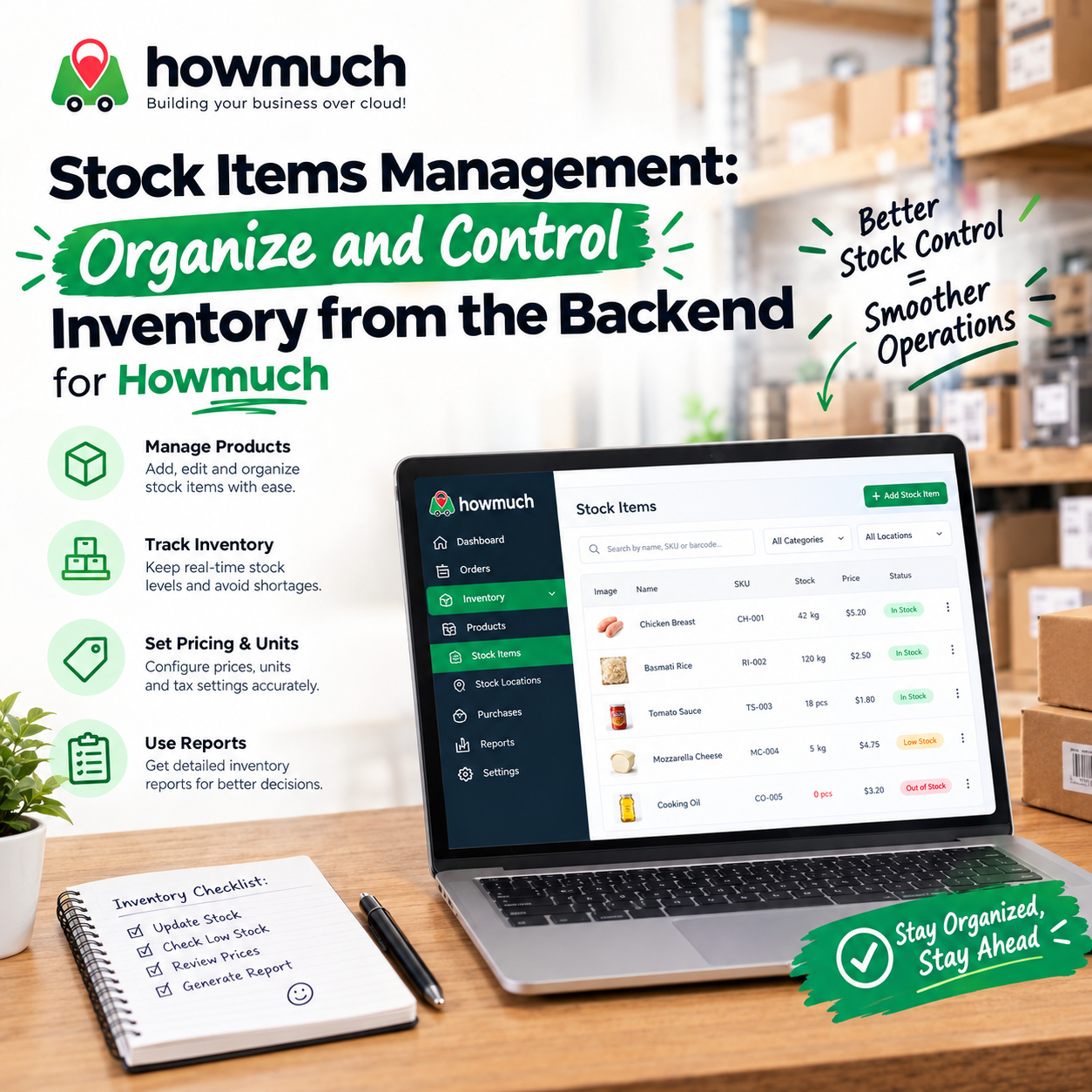
Stock Items Management: Organize and Control Inventory from the Backend

Backend stock items management lets retailers track inventory quantities, costs, and locations from a centralized dashboard. It gives store owners real-time visibility into stock levels, waste, and supplier performance, helping reduce stockouts, cut costs, and make smarter purchasing decisions across single or multi-location businesses.
Running a retail business means juggling dozens, sometimes thousands, of products across shelves, storage rooms, and possibly multiple locations. Without a reliable system, tracking what's in stock becomes guesswork, and guesswork leads to lost sales, wasted inventory, and shrinking margins.
A centralized backend dashboard for stock items management changes that. Instead of relying on spreadsheets or manual counts, retailers gain a single source of truth for every product they carry. This guide walks through how to set up, organize, and maintain your inventory from the backend, and why doing so is one of the smartest moves you can make for your business.
What is stock items management, and why does it matter for retailers?
Stock items are the physical products sitting in your inventory, ready to sell. Every SKU, from a single candle to a pallet of packaged goods, needs to be tracked, updated, and monitored consistently.
For retailers, poor inventory visibility creates real business risk. Without accurate counts, you could lose sales to out-of-stock items during your busiest hours, or tie up cash in excess stock that never sells. Multiply that across several store locations, and the problem compounds fast.
A proper stock management system solves this by giving you real-time visibility into inventory across every location and category, so you always know what you have, where it is, and when it's time to reorder.
How do you set up stock items in a backend dashboard?
Creating stock items correctly from day one saves hours of cleanup later. When adding a new item to your dashboard, you'll typically enter:
- Item Name: Use specific, descriptive names (e.g., "Extra Virgin Olive Oil 500ml" rather than just "Oil")
- Product Category: Assign categories like "Beverages," "Dry Goods," or "Electronics" for easier organization
- Stock Location: Note exactly where the item lives, whether it's a specific store, warehouse, or shelf
- Unit of Measurement: Choose the right unit, kilograms, liters, pieces, or otherwise
- Supplier Information: Link each item to its supplier to streamline reordering
How does multi-location inventory tracking work?
One of the biggest advantages of a modern stock management system is tracking the same item across multiple stores or warehouses simultaneously. A retailer with several branches can see stock levels at every location without a single phone call.
For example:
- Store A: 50 units in stock
- Store B: 30 units in stock
- Central Warehouse: 100 units in stock
This visibility allows you to redistribute inventory efficiently, moving stock to high-demand locations before shortages happen.
What product details should you track for accurate inventory?
Accurate stock management depends on capturing complete product data. At minimum, retailers should track:
Name and SKU: Specific naming and a unique SKU help staff and systems identify products instantly, cutting down on picking errors and mismatched inventory counts.
Barcode Integration: Barcode scanning speeds up receiving shipments, processing sales, and conducting physical counts. It's faster and far more accurate than manual entry.
Pricing Information: Track purchase price, current cost per unit, and selling price for every item. This data is essential for calculating profit margins and identifying your most (and least) profitable products.
Category and Classification: Organizing products into clear categories, such as apparel, electronics, or home goods, makes searching, reporting, and analysis significantly easier.
How do you track stock quantities and prevent stockouts?
Understanding your real-time inventory levels is the foundation of good stock control. A strong system tracks several key figures for every item:
- Purchased Quantity: How much inventory you've received and what you paid for it
- Consumed or Sold Quantity: How much has moved out of stock through sales
- Reserved Quantity: Inventory set aside for pending orders or special purposes
- Available Quantity: Calculated as Purchased Quantity minus Consumed Quantity, Wasted Quantity, and Reserved Quantity
This available quantity figure tells you, in real time, whether you can fulfill customer demand or need to reorder immediately.
Why do low-stock alerts matter?
Modern systems flag items automatically once they drop below a set threshold. If a bestselling item falls under 20 units, for instance, the system can trigger an alert so you reorder before running out entirely. This kind of automation prevents the missed sales that come from surprise stockouts.
How does waste tracking improve profitability?
Waste is one of the most overlooked drains on retail profitability. Every damaged, expired, or unsellable item represents lost money that's easy to miss without proper tracking.
A comprehensive system records both wasted quantity (how much product was lost) and wasted cost (the financial impact of that loss). Tracking these metrics helps you:
- Identify which locations or products consistently generate the most waste
- Adjust purchasing or storage practices to reduce spoilage
- Calculate a more accurate cost of goods sold
- Set measurable waste-reduction targets over time
Choose to prioritize waste tracking if your inventory includes perishable or fragile goods, since these categories tend to carry the highest risk of loss.
How can retailers organize large product catalogs efficiently?
If you're managing hundreds or thousands of SKUs, fast search and filtering become essential. A capable backend dashboard should let you:
- Search by product name, SKU, barcode, category, or supplier
- Apply advanced filters, such as viewing all items from a specific supplier with low stock levels
- Sort by cost, quantity, waste percentage, or stock status
- Export data to Excel, CSV, or PDF for accountants and other stakeholders
Pre-built reports, like inventory value summaries, supplier performance, and stock turnover by category, help different team members focus on what matters most for their role.
What business benefits come from better backend stock management?
The impact of organized inventory management shows up directly in your bottom line:
- Improved accuracy: Digital tracking eliminates the human error that comes with manual counts
- Operational efficiency: Staff spend less time searching for items and more time serving customers
- Reduced waste: Consistent tracking reveals patterns you can act on
- Smarter purchasing: Accurate consumption data helps you reorder at the right time and quantity, avoiding both stockouts and excess inventory
- Stronger margins: Lower waste, fewer missed sales, and better-negotiated supplier pricing all add up
For example, if you consume 50 units of a product monthly and your supplier takes two weeks to deliver, you'll know to reorder once inventory drops to around 25 units, avoiding both stockouts and unnecessary storage costs.
Making stock management a permanent part of your operations
Getting the most from a backend inventory system means building it into daily habits, not treating it as a one-time setup. Establish clear procedures for logging arrivals, recording usage, and documenting waste. Train every team member so the system is used consistently, and schedule regular reviews to catch slow-moving stock or unusual waste trends before they become costly.
Retailers who invest in centralized, real-time stock management gain a lasting edge: fewer stockouts, less waste, and the data needed to make confident purchasing decisions. As your business grows, that same system scales with you, supporting new locations, suppliers, and product lines without adding chaos to your operations.
Your inventory is one of your biggest investments. Managing it well from the backend isn't just an operational upgrade, it's a direct path to stronger sales and healthier margins.
Frequently Asked Questions
What is the difference between purchased quantity and available quantity?
Purchased quantity reflects everything received from suppliers, while available quantity subtracts what's been consumed, wasted, or reserved. Available quantity gives you the true, real-time count of stock ready to sell.
How often should retailers conduct physical inventory counts?
Even with a digital system in place, periodic physical counts (monthly or quarterly, depending on turnover) help verify that recorded stock matches reality and highlight where data entry processes need improvement.
Can a stock management system handle multiple store locations?
Yes. A centralized dashboard tracks inventory separately by location while giving you a combined view across all stores, making it easy to redistribute stock where it's needed most.
What's the biggest risk of not tracking waste?
Without waste tracking, retailers underestimate their true cost of goods sold, which can make products appear more profitable than they actually are.
0 Comments

Howmuch POS for Hair Salons: How the Services Feature Simplifies Service Management with Howmuch POS